

When I reviewed my XTRA MUSE back in the summer, I was amazed by the versatility and features that were crammed into such a small profile. With a price point that made it an alluring prospect, whether you were a hobbyist vlogger looking for a great camera to fit in your pocket and be ready at a moment’s notice or just someone wanting a versatile handheld camera that doubled as a solid webcam, it was an impressive package. Now, after some turbulence, XTRA is releasing its follow-up series with the MUSE 2 and 2 PRO, and the nice folks over there were kind enough to send me a 2 PRO to play around with over these past few months. TL;DR: The XTRA 2 PRO is an amazing choice if you are looking to really take your videography to the next level and invest in the space.
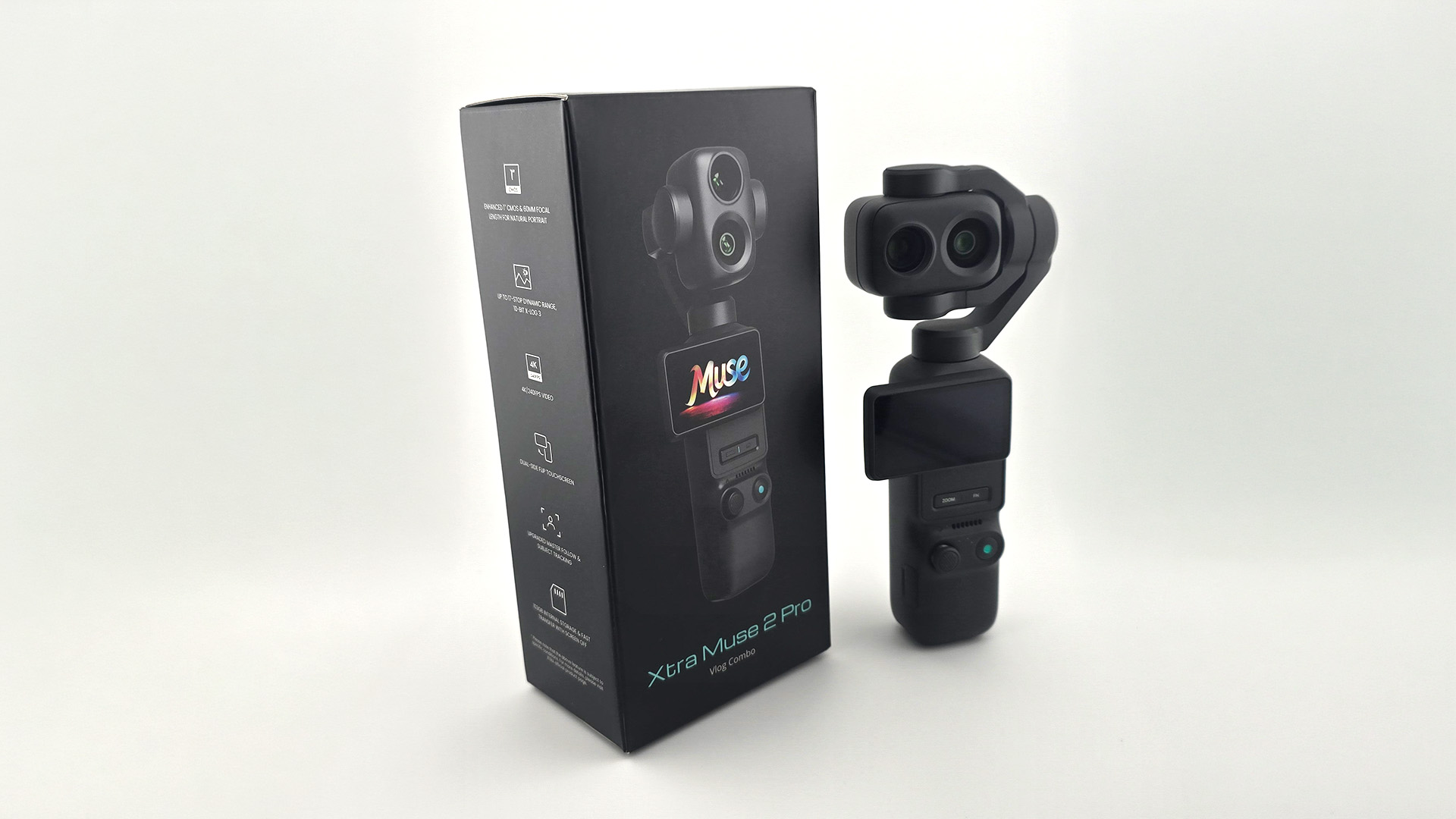
Available through XTRA’s website and coming in between $610 and $680, depending on which combo you pick, this upgrade offers features that, as the name and price tag suggest, will appeal to and be more beneficial for serious creators and camera aficionados. The big feature that sets the PRO apart from the base model that launched alongside it is the inclusion of a second med-tele 1/1.28” sensor lens. Alongside the main 1” sensor, both will capture some great photos and videos. Photos have a resolution of 37MP (a boost of three times over the original MUSE’s 9MP), while video can now be shot with 17-stop dynamic range and the improved X-Log 3 (the original MUSE had 12.8-stop dynamic range and the original X-Log) at 4K/60fps. For fans of dramatic slow-motion shots, the MUSE 2 PRO can now shoot 4K/240fps!
In addition to its second lens, the MUSE 2 PRO has a host of other nifty upgrades and tech under its small hood to make it a worthwhile purchase for those serious about being able to easily film on the go. Much like the original MUSE, this new camera also does a great job of automatically tracking its subject in frame, but now you can register and prioritize multiple subjects. For more creative shots where, perhaps, you may have one talent walk off-screen while another walks into frame to continue on, being able to automatically recognize them and start tracking opens the door for some really fun shots.
And this is all made even better with the new gesture-based controls, which let you start or stop the tracking feature or recording. Typically, it takes roughly a second for the camera to register which gesture I am using at a given time, but by and large, so long as I was framed well (i.e., not too far away) and the lighting was even halfway decent, it picked up the gestures with little issue. Currently, though, only gestures for starting/stopping tracking and starting/stopping recording (or taking a picture) are available. I would love to see additional options added down the line via an update that, perhaps like the function button, lets you set specific actions to various gestures.
 Perhaps the biggest win that the MUSE 2 PRO can hold over its predecessor is the 103 GB of internal storage. This was perhaps the oddest omission from the MUSE, requiring an SD card straight out of the box before you could really get to creating, so it’s great news that XTRA has learned from the feedback and included some here. There is still a microSD card slot for when you plan to shoot a bunch of videos without the chance to dump them in between, and I’d recommend getting at least a 256 GB card just to give yourself more wiggle room. That said, I can’t think of a moment these last few months when I would have shot enough footage to fill the internal capacity without having the chance to transfer footage to my laptop or PC to free it back up first. A task that can be done simply by connecting the camera via USB-C. Easy peasy.
When it comes to its general construction and feel, this new model beats the original hands down, with one exception, but more on that in a moment. The size of the 2 PRO is about the same as the MUSE with the bottom mount attachment, but it is more rounded, giving the camera a wonderful feel in the hand. It has a solid weight to it, and the new swiveling screen, which snaps out oh-so-satisfyingly to either side, now makes it comfortable to use for extended periods of time, regardless of which hand I’m using to hold it.
Underneath its OLED touchscreen (which, thanks to its ability to go up to 1,000 nits, makes it easy to see even on bright, sunny days) are two new physical buttons, which directly address one of the requests I mentioned in my original MUSE review. One allows you to quickly zoom in, while the other is a programmable function button that lets you set its function when you single-, double-, or triple-press it. As someone with larger hands, the fact that I no longer have to deftly attempt to press the small toggle icon on the screen to change the joystick from zooming to tilting the gimbal is a godsend. The less time I have to spend trying to tap a specific spot on the screen to do something, the better.
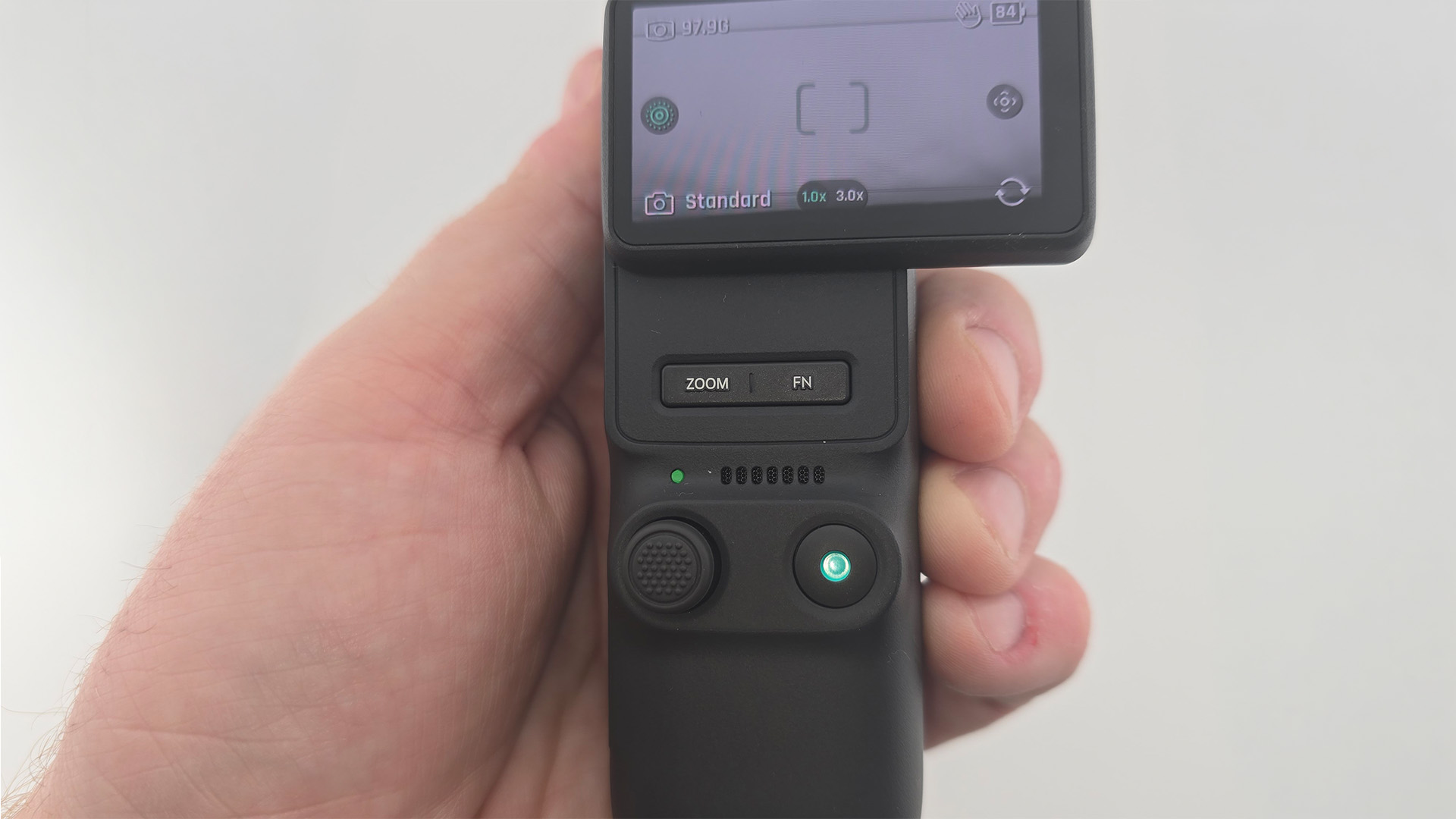
One aspect I wasn’t expecting to love as much as I have with this new device is the new joystick, used to zoom in and out or tilt the gimbal around. On the previous model, it reminded me a lot of the little nubs you would find on some corporate laptops. Functional, sure, but it always lacked the finesse I wanted or needed in the moment. The new stick on the MUSE 2 PRO feels like an actual joystick, just tiny. Roughly half the size of a Nintendo Switch Joy-Con, the fact that it is raised slightly higher allows for more precision, and I just found it so much more pleasant to use. In fact, it was the first thing I noticed during a creator event XTRA hosted back in the summer, and it’s been rock solid (and quite possibly my favorite upgrade).
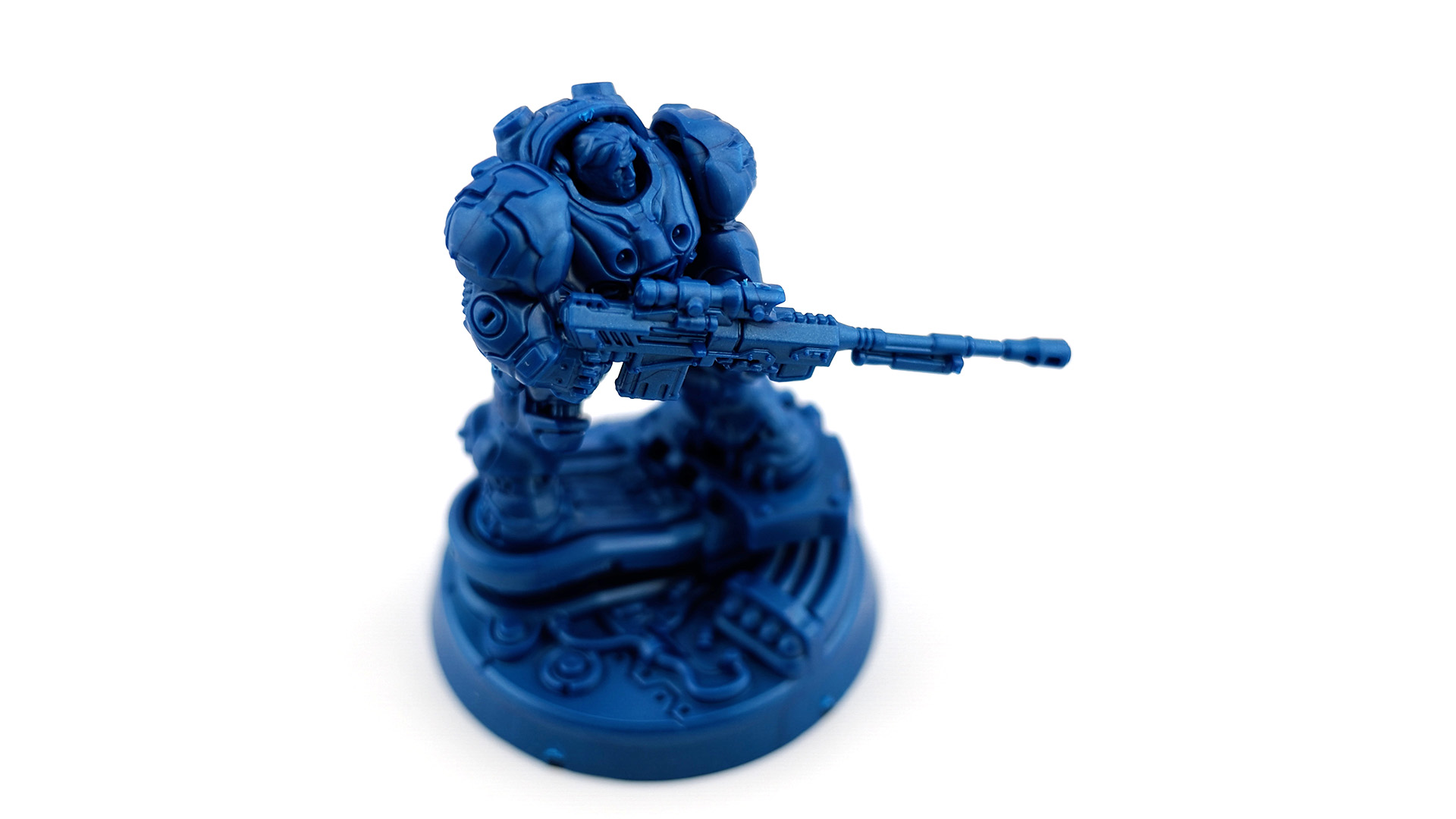
This all culminates in that similar rewarding shooting experience I have had with my original MUSE camera – the satisfying “click” as the screen pops into place and being able to go from my pocket to filming in just a few seconds – are all here. That said, the new features that XTRA has incorporated into this new camera make the process even better, and with things like that new thumbstick and physical buttons, an overall more enjoyable one too. I’ve had much greater success in shooting small objects like my tabletop miniatures thanks to the new lens, which has flooded my head with ideas to capture board game stuff. I’m also really excited to get out this winter when it’s dark earlier to put its improved low-light performance to the real test. The bit I’ve done already has left me impressed, but as someone who doesn’t stay up too late anymore (I blame my incredibly active 3-year-old), this isn’t a feature I expect to use all that frequently either. Though, the active tracking of subjects makes it a breeze to capture some great video and pictures of my lovable feral son.

My biggest issue with this new camera has to do with the placement of the USB-C charging port, which is aggravatingly placed directly on the bottom, close to the ¼” threaded hole used for mounting it. Previously, with my original MUSE, while the bottom also featured the charging port, an included attachment that added its threaded port moved the charging port to the backside of the camera instead, making it perfect for use as a webcam and ensuring it never got in the way when mounting the device. It’s appreciated that the MUSE 2 PRO has this mount point built in, but the fact that it is so close to the lone charging port makes it a hassle, if not downright impossible, depending on what you are mounting it to, to also have the camera charging. This also makes one of my favorite features of the MUSE, using it as a webcam, more complicated, which is a shame. Hopefully, some sort of rearward-facing port attachment is released, but it’s still an odd choice and one that I hope XTRA doesn’t repeat in an eventual MUSE 3 line of devices.
One thing for folks looking to pick up the MUSE 2 PRO to be aware of, especially those who also own the original MUSE, is that you shouldn’t expect the same compatibility with third-party lenses, cases, and other accessories. While it may look incredibly similar to other devices on the market, much like the MUSE did, all of the different accessories I bought expecting them to work with my MUSE 2 PRO, unfortunately, haven’t. As someone who prefers hard cases over the soft zip-up ones that XTRA supplies, this was the biggest bummer. XTRA is releasing some add-ons now that the camera has launched, but just be aware before you stock up on toys for your new camera: double-check compatibility. Learn from my mistake.

To put it frankly, if you read the first couple of paragraphs and had no idea what I was talking about, or if these aren’t features that particularly interest you, the MUSE 2 PRO probably isn’t the camera for you. XTRA has some wonderful other options, from the original MUSE to the base MUSE 2, which forgoes the additional lens and cuts back slightly in other areas while retaining many of the same aesthetic and updated features (I only received a 2 PRO to review, so I can’t speak to the specifics of the base model). For the more casual user who has little interest in color grading, 17-stop dynamic range, or X-Log 3 (if you even know what either of those things means), those selling points along with the additional lens might not be worth the extra $100+. As great as it is, there’s little reason to spend that extra money on features you aren’t going to use. In that case, the MUSE 2 might be more in line with what you’re looking for.
The MUSE 2 PRO has easily replaced my original MUSE as my “always with me” camera that I keep in my bag. With the improved design and functionality elements, along with the additional lens, it results in a thoughtful, upgraded shooting experience as a whole. While there is no doubt that some of its features and price point may lean towards being overkill for more casual users, for aspiring professional videographers and photographers out there, there is plenty of love and power packed into the small form factor. The MUSE 2 PRO will be an excellent tool in your creative arsenal.

The XTRA MUSE 2 PRO is available for purchase over on XTRA’s website with their other devices also available on Amazon.
Xtra provided us a review unit to test and use for this review.


